
Analyzer
Prompt Analysis
Analyze your prompts with AI, discover strengths and weaknesses, get improvement suggestions.
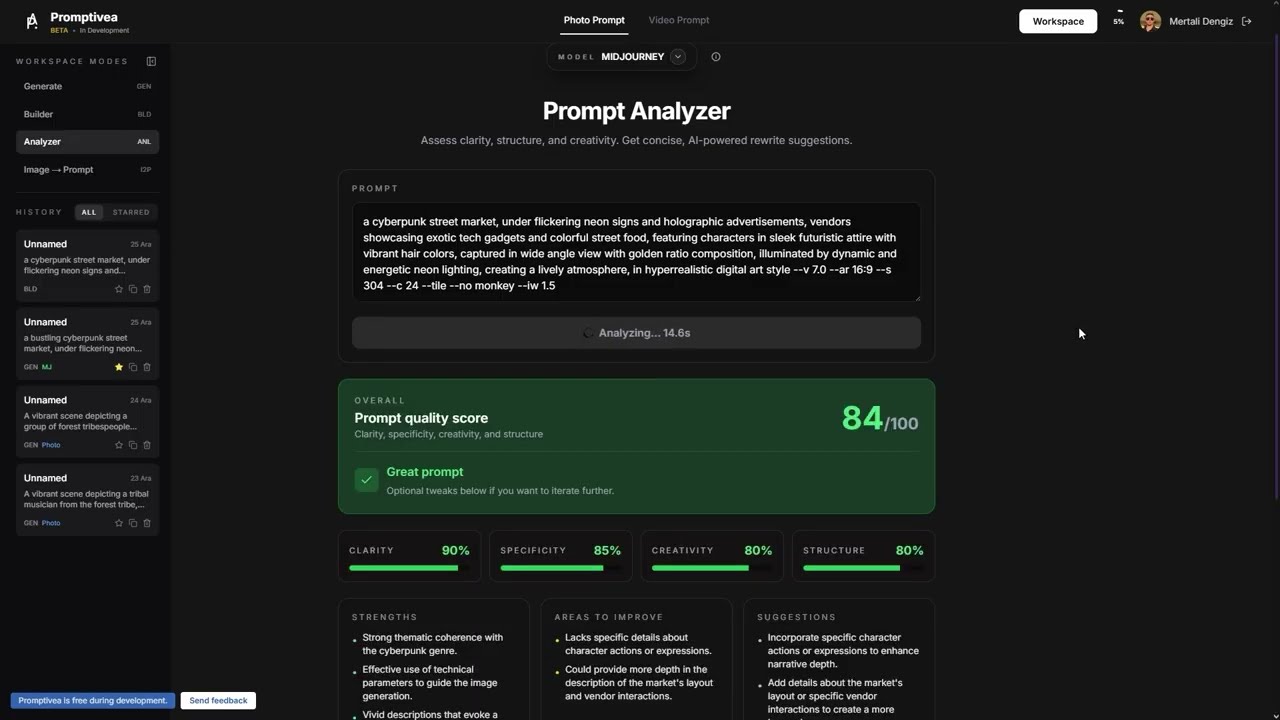
Step by Step
01
Paste your prompt
Paste any prompt you want to analyze into the text box.
02
Click Analyze
AI starts analyzing your prompt in detail.
03
Review the results
See strengths, weaknesses, suggestions, and score breakdown.
04
Apply improvements
Edit your prompt based on suggestions or get automatic improvements.
Tips
Different analysis criteria are applied for different models
Focus on weak categories to improve prompt quality
Save your analysis history to review later
Keep improving the prompt until the score is at least 80